
The short answer
If you are looking for a Google Cloud Document AI alternative, the honest summary is that there are three different reasons people leave, and each points somewhere different.
Leaving because the bill grew unpredictably? Look at vendors that price per document with the whole pipeline included, rather than per building block plus hosting. Leaving because you don’t want to be tied to GCP? Any cloud-agnostic API, or the equivalent primitive on the cloud you actually use. Leaving because extraction quality isn’t good enough on your documents? That one is not solved by switching vendors — it is solved by measuring on your own document set first, which the last section of this post explains how to do.
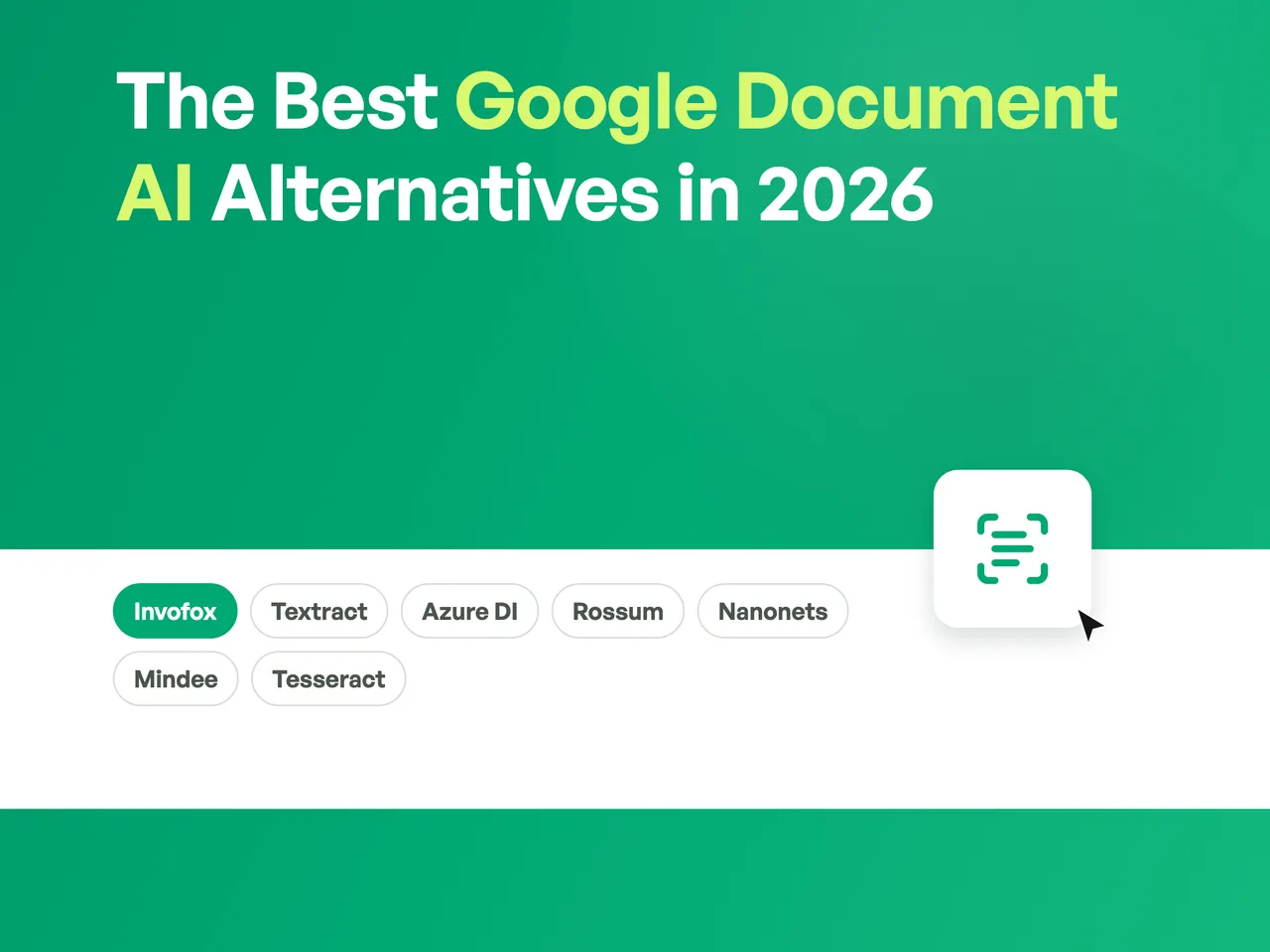
The options split into two groups that are easy to confuse. Primitives (Textract, Azure AI Document Intelligence, Tesseract) hand you text, blocks and boxes; the schema mapping, the validation and the business rules are yours to build. Finished-field APIs (Invofox, and to a degree Rossum and Mindee) return values you can post to a system of record. Comparing a price from one group against a price from the other is the single most common mistake in this evaluation, because the primitives look far cheaper right up until you count the engineering.
Seven options are compared below on facts anyone can verify. Invofox — the company that publishes this blog — is one of them, ranked first. The methodology section explains exactly what that ranking is based on so you can discount it appropriately.
How this comparison was made
This is a vendor-published comparison. That’s a reason to read it carefully, so here are the rules it follows:
- Every claim about a third party links to that vendor’s own public documentation, or says “not publicly documented” where the vendor doesn’t publish it. We do not estimate other companies’ prices.
- No accuracy percentages for other vendors. Accuracy figures depend entirely on the document set they were measured on. Any table comparing “99.1% vs 98.4%” across vendors is comparing measurements taken on different documents, which makes the comparison meaningless. What is comparable is whether a vendor will put an accuracy figure in a contract — so that is the column.
- We rank ourselves first, on two grounds you can check without trusting us: pages that come back with a wrong field aren’t billed, and the pricing is published rather than quoted. If neither of those matters to you, several options below will suit you better, and the profiles say which.
- Pricing checked August 2026. Vendor prices change; treat every figure as a starting point and verify before you commit.
Three of the seven — Rossum, Nanonets and Mindee — appear below with “not publicly documented” in the pricing column. That is not an omission. Those vendors quote rather than publish, and filling the gap with an estimate would be exactly the kind of invented number this post is trying to avoid.
Comparison table
| Tool | What it actually is | Published price | Accuracy commitment |
|---|---|---|---|
| Invofox | A document extraction API — any document type to typed, validated JSON | 500 pages free; Starter from $500/mo up to 5,000 pages/mo | Wrongly extracted pages aren’t billed |
| Amazon Textract | OCR primitives inside AWS — blocks, tables, key-value pairs | $0.0015–$0.07 per page depending on the API | Per-block confidence, no SLA |
| Azure AI Document Intelligence | Primitives plus prebuilt models inside Azure | Per page — figures only via the Azure calculator | Confidence scores, no SLA |
| Rossum | AP automation built around a human review queue | Not publicly documented (quote) | Improves as reviewers correct |
| Nanonets | Models you train yourself, plus workflow automation | Not publicly documented (quote) | Confidence scores, no SLA |
| Mindee | A developer API for common document types — fast | Not publicly documented (quote) | Confidence scores, no SLA |
| Tesseract | An open-source OCR engine | Free — Apache 2.0 | None |
Every figure in that column, with its region, tier and source, is listed in Sources and figures at the end — including the incumbent’s. For reference, Google Cloud Document AI prices its Invoice Parser at $0.10 per 10 pages, Custom Extractor at $30 per 1,000 pages, and charges $0.05 per hour for every processor version you keep deployed.
The seven alternatives
1. Invofox — best when the extraction has to be right, across any document type
Invofox is a document extraction API. You send a PDF or an image and get typed JSON back; classification, splitting and validation happen behind the same call rather than as separate products you chain together. It is not scoped to one document family — invoices, payslips, bank statements, utility bills, tax forms, delivery notes, IDs, contracts and custom schemas you define yourself all go through the same endpoint, which is the point: one integration instead of a specialist per document type.
The commercially distinctive part is in the pricing, not the feature list: every extracted page is validated against your schema before it is billed, and a page that comes back with a wrong field is credited back automatically. That converts accuracy from a marketing claim into a billing rule — a different kind of statement from a confidence score you are left to interpret. (That guarantee applies to teams processing 1M+ pages a year; the published tiers start at 500 pages free with no card, then $500/month for up to 5,000 pages.)
Where it fits worst, honestly: if what you want is raw OCR primitives to build your own pipeline on top of, or a human review queue as the product rather than as an option, the tools below are a better match.
2. Amazon Textract — best for OCR primitives inside AWS
Textract is a primitive and is honest about being one: it returns blocks, lines, tables and key-value pairs, and what those mean for your business is your code’s problem. Its pricing is the most granular and transparent of anything on this list, which makes cost modelling genuinely easy — $0.0015 per page for Detect Document Text, $0.01 for Analyze Expense, $0.015 for Tables or Queries, $0.05 for Forms, $0.07 for Analyze Lending, all first-tier in US West (Oregon) and varying by region.
One detail worth knowing before you model costs: features are billed additively, not as a bundle. AWS’s own worked example prices a Forms + Tables call as $0.015 × pages + $0.05 × pages — so a document needing both costs $0.065 per page, not $0.05.
Where it fits best: teams already deep in AWS who want a building block and have the engineering capacity for the schema mapping, validation and business rules that sit on top. Where it fits worst: teams who expected finished fields. The gap between “blocks and boxes” and “a validated total that matches the line items” is most of the work, and it doesn’t shrink. We wrote up that gap in detail.
3. Azure AI Document Intelligence — the same primitives, on Azure
Azure’s offering sits in the same category as Textract rather than in the same category as a finished-fields API: a Read model for text, a Layout model for structure, prebuilt models for a handful of common types (invoice, receipt, ID), and custom models you train and maintain yourself. Like Textract, it hands you components — the schema mapping, the business rules and the validation are still yours to build.
Being on Azure already is a real procurement and compliance convenience, but it is not an argument that the extraction is equivalent to a product that contracts for accuracy — those are different questions, and it’s worth keeping them apart when you compare.
On price: Azure’s Document Intelligence pricing page shows per-1,000-page rows but renders the values as placeholders, states that “prices are estimates only”, and directs you to the Azure pricing calculator or a sales specialist. We have not reproduced numbers we could not read on a public page. It also shares a structural characteristic with Document AI: at volume, the operational issues around polling, throughput and rate limits are what actually bite, not the sticker price — covered in a separate teardown.
4. Rossum — best for AP teams that want a review queue
Rossum is built around a human-in-the-loop validation interface for accounts payable and transactional finance documents. That is a genuine product decision rather than a limitation: if your AP team is going to check invoices anyway, a tool designed around that review step is more useful than one that assumes full automation. Its models improve as reviewers correct them.
Where it fits best: finance teams whose target state includes people verifying documents. Where it fits worst: engineering teams trying to remove the review step, or workloads where the documents stop being invoices. Pricing is not publicly documented — expect a quote. Our side-by-side has the detail.
5. Nanonets — OCR plus workflow automation
Nanonets combines extraction with workflow automation and a model builder you configure and retrain yourself. The appeal is flexibility: if your documents are unusual and you want direct control over the models, there are more knobs here than in most managed products.
The trade-off is that those knobs are yours to operate — training runs, retraining as documents drift, and the workflow upkeep that comes with it. That is a real cost in engineering time that doesn’t appear in any pricing table. Pricing is not publicly documented. More in our comparison.
6. Mindee — a developer API for common document types, and it’s fast
Mindee is a developer-facing API organised around document types, and the thing worth saying about it is that it’s quick — low latency is a real product characteristic and it matters for interactive flows where a user is waiting on the result.
Beyond that we’ll let them describe themselves rather than characterise a competitor’s roadmap. Pricing is not publicly documented. Our comparison has the point-by-point.
7. Tesseract — an OCR engine, and free
Tesseract is an open-source OCR engine, Apache 2.0 licensed, free to run on your own hardware with no per-page cost and no data leaving your infrastructure.
It is on this list because pretending every option is paid would be dishonest, and it belongs with the boundary stated plainly: an OCR engine returns text, not fields. There is no schema, no validation, no classification, no confidence to route on. Turning its output into “the total is €1,804.28, and it matches the line items” is entirely your code. For a one-off digitisation project that is a good trade. For a pipeline running thousands of documents a month, the engineering you take on usually exceeds what you saved — the calculation our build vs buy piece works through.
Why teams look for Google Document AI alternatives
Three documented reasons, all traceable to Google’s own pricing page and docs rather than to opinion:
The unit price isn’t the pipeline price. A prebuilt parser is priced per document, but a footnote on the pricing page states that when a document contains multiple eligible forms, only the first is processed. That makes a Custom Splitter a hard prerequisite for any multi-document workflow — and most real workflows are multi-document. The minimum viable pipeline becomes Splitter → Classifier → Parser, each with its own line item.
Per-version hosting scales with your operational pattern, not your traffic. Every deployed Custom Processor version costs $0.05 per hour. Keep an old version for rollback and a new one for canary, across several document types and regions, and the hosting bill can exceed the processing bill before a single page is processed.
Schemas are immutable. Google’s labelling guide states that field names cannot change; the Custom Extractor docs add that after creating a processor version you can’t change or delete fields. Renaming a field to match the rest of your platform becomes a re-labelling project.
We covered all three, with the source quotes, in the problems you’ll run into using Google Cloud Document AI.
When Google Document AI is still the right choice
This section is not a formality. Document AI is a strong product and there are cases where switching away from it would be a mistake:
- You process one or two document types that genuinely match a prebuilt processor. If the Invoice Parser’s fixed schema covers what you need, you are getting a well-engineered model at a fair per-document price with none of the pipeline complexity above.
- You are committed to GCP for reasons that outrank document processing. Data residency, existing compliance approvals, an enterprise agreement, and the fact that your data already lives in BigQuery are real advantages, and a cloud-agnostic API doesn’t erase them.
- You have MLOps capacity and want direct control over the models. Custom Extractor gives you a labelling, training and versioning workflow you own. Teams that were going to build that anyway get a solid foundation rather than a black box.
- Your volumes are low enough that the pipeline overhead doesn’t compound. The costs above scale with operational complexity. At modest volume with a stable schema, they may never bite.
If most of those describe you, the honest recommendation is to stay and skip the migration.
How to actually compare these
Whatever you pick, don’t decide on a vendor’s published accuracy figure — including ours. Every number in this space is measured on the vendor’s own document mix, and yours is different. The method that works:
- Build a ground-truth set from your real traffic. 50-100 documents, hand-verified field by field. Include the ugly tail — rotated photos, low-DPI scans, stamps over amounts, multi-document PDFs. That tail is where the decision is actually made.
- Score per field, not per document. “95% of documents mostly right” and “the total is right 95% of the time” are very different claims for an accounts payable workflow.
- Count silent errors separately. The number that matters isn’t accuracy — it’s how often a wrong value came back looking right. That is what your downstream systems will consume without questioning.
- Price the whole pipeline, not the parser. Splitting, classification, validation, the fields outside the prebuilt schema, retries, and any per-version hosting. The line-item price is rarely the bill.
- Test the failure path. Send a document you know it can’t handle and see what comes back. A vendor that fails loudly is worth more than one that guesses fluently.
If you want to see that method applied rather than described, our GPT-5 vs Claude vs Gemini vs Invofox comparison is the working version with code — the same invoice through four APIs, what changes between them, and why the differences that matter aren’t the ones a benchmark reports.
This is the same method we apply to our own models, described in more depth in evaluation and accuracy. If you’d rather not run it yourself, a performance report is that exercise done on your documents, with the per-field results written down.
Sources and figures
Every price quoted above, with the qualifiers that make it meaningful. All checked August 2026 — vendor prices change, regions differ, and a figure without its tier and region is not a figure.
Google Cloud Document AI — pricing page
| Item | Price | Unit |
|---|---|---|
| Invoice / Expense / Utility Parser | $0.10 | per 10 pages in a document |
| Bank Statement Parser | $0.75 | per classified document |
| Pay Slip Parser / W-2 Parser | $0.30 | per classified document |
| Custom Extractor / Form Parser | $30.00 | per 1,000 pages (to 1M/mo; $20 above) |
| Custom Classifier / Custom Splitter | $5.00 | per 1,000 pages (to 1M/mo; $3 above) |
| Enterprise Document OCR | $1.50 | per 1,000 pages (to 5M; $0.60 above) |
| Processor version hosting | $0.05 | per hour, per deployed version |
The hosting line is the one that surprises people: it accrues per version, not per processor, and independently of how many pages you process.
Amazon Textract — pricing page
First tier, US West (Oregon) — prices vary by region.
| API | Price per page | Tier |
|---|---|---|
| Detect Document Text | $0.0015 | first 1M pages |
| Analyze Document — Signatures | $0.0035 | first 1M pages |
| Analyze Document — Tables | $0.015 | first 1M pages |
| Analyze Document — Queries | $0.015 | first 1M pages |
| Analyze Document — Custom Queries | $0.025 | first 1M pages |
| Analyze Document — Forms | $0.05 | first 1M pages |
| Analyze Expense | $0.01 | first 1M pages |
| Analyze ID | $0.025 | up to 100K pages |
| Analyze Lending | $0.07 | first 1M pages |
Layout is free when used with Tables. Features are billed additively — AWS’s own example prices a Forms + Tables call as $0.015 × pages + $0.05 × pages.
Azure AI Document Intelligence — pricing page
No figures reproduced. The page renders its per-1,000-page values as placeholders, states that prices are estimates only, and directs you to the Azure pricing calculator or a sales specialist. We are not going to guess at another vendor’s numbers.
Rossum, Nanonets, Mindee
Not publicly documented. All three quote rather than publish. This is a statement about their pricing disclosure, not about their quality — plenty of good software is sold this way.
Tesseract — github.com/tesseract-ocr/tesseract
Free. Apache 2.0 licence. Your only cost is the compute you run it on and the engineering around it.
Invofox — pricing page
Free tier of 500 pages, no card. Starter from $500/month for up to 5,000 pages/month, billed annually. Scale and Enterprise are quoted. Pages whose extracted fields fail validation against your schema are credited back automatically; that guarantee is available to teams processing 1M+ pages a year.
Where to go from here
If you want to test the Invofox side of this comparison, the API is free for the first 500 pages with no card — enough to run a real ground-truth set rather than a demo. For the direct head-to-head with the incumbent, Invofox vs Google Document AI is the point-by-point version.
And if this comparison pushed you toward staying on Document AI, that is a legitimate outcome. A migration you don’t need is the most expensive option on this page.